For marketplaces & second-hand portals
Seller photos, cleaned up, without lying about the item.
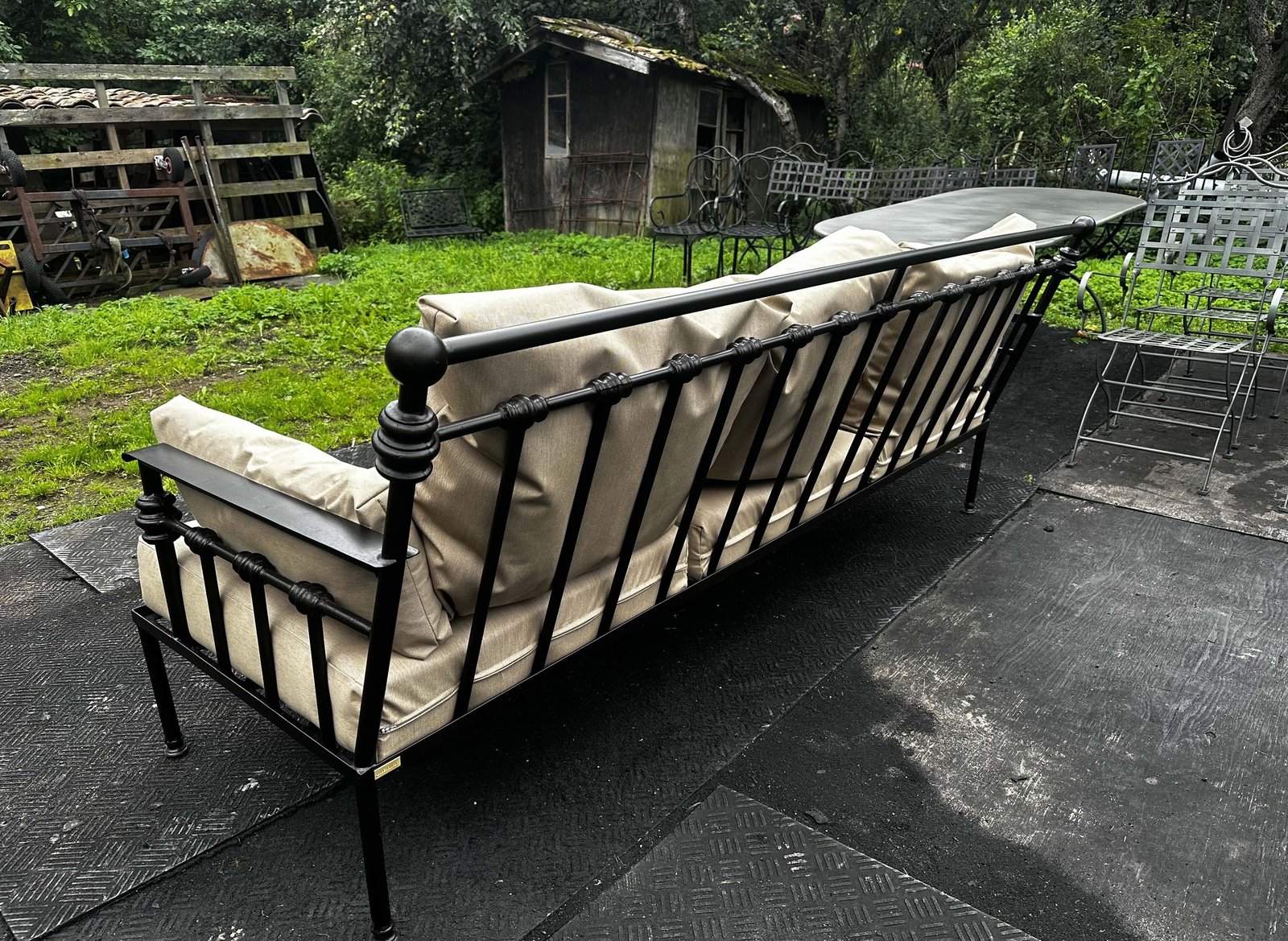
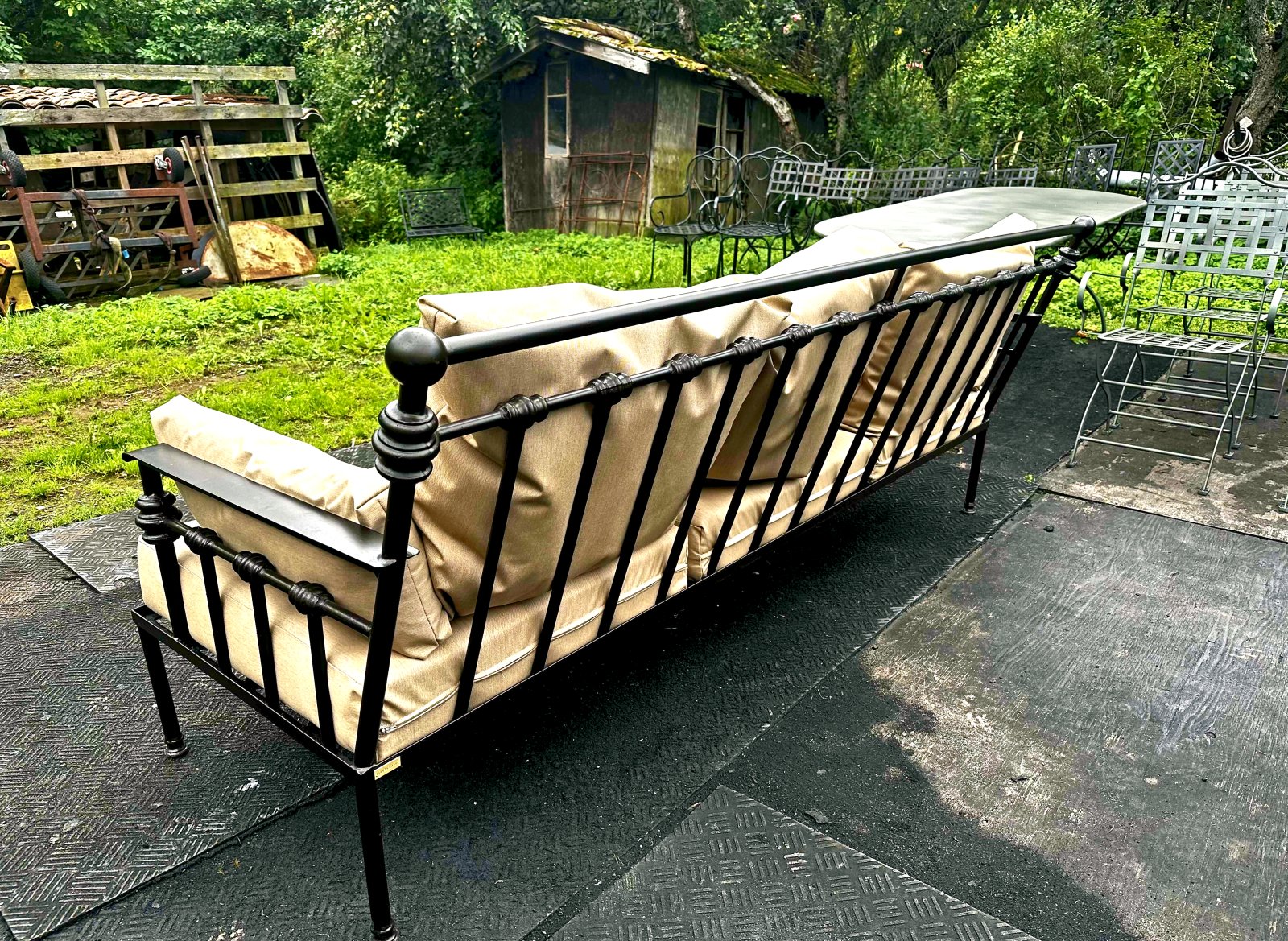
A real second-hand listing photo, shot on a phone on a flat grey day: exposure +0.25 · autotone · shadows +0.4 · clarity 0.6 · denoise 0.25 · vibrance 0.8 · warmth 0.2 · contrast 0.25 · blackpoint 0.05. The grass goes green and the cushions go cream again, while every scratch and crease stays visible.
Better photos sell. Fake photos bounce.
Second-hand buyers judge scratches, wear and color in the photo. A generative model that “improves” a jacket also erases the scuff the buyer needed to see, hello, returns and disputes. RetouchEngine lifts dim kitchen-table shots into clear, honest product photos: exposure, denoise, clarity, true color. The item as it is, just visible.
Cut out the background, without touching the item
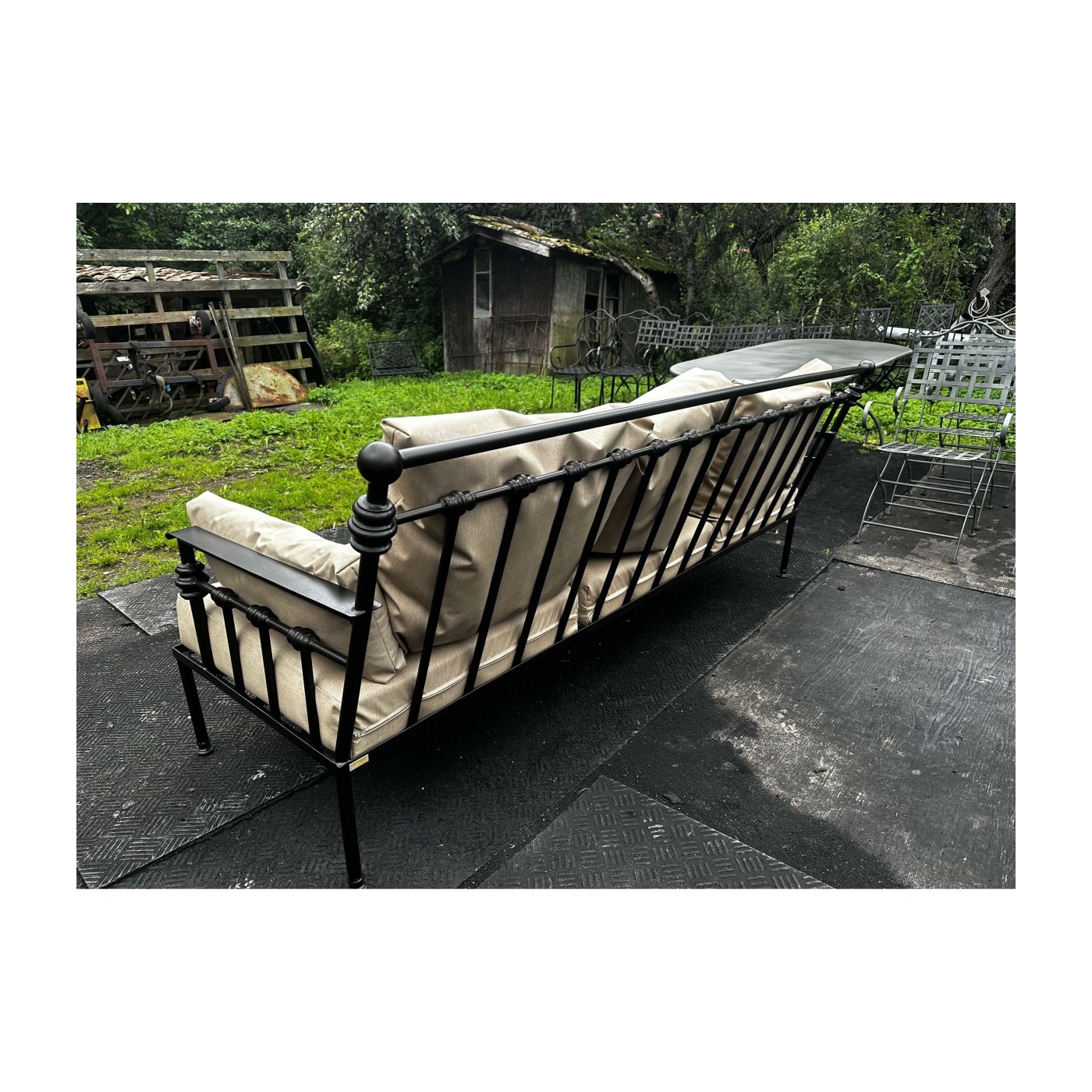
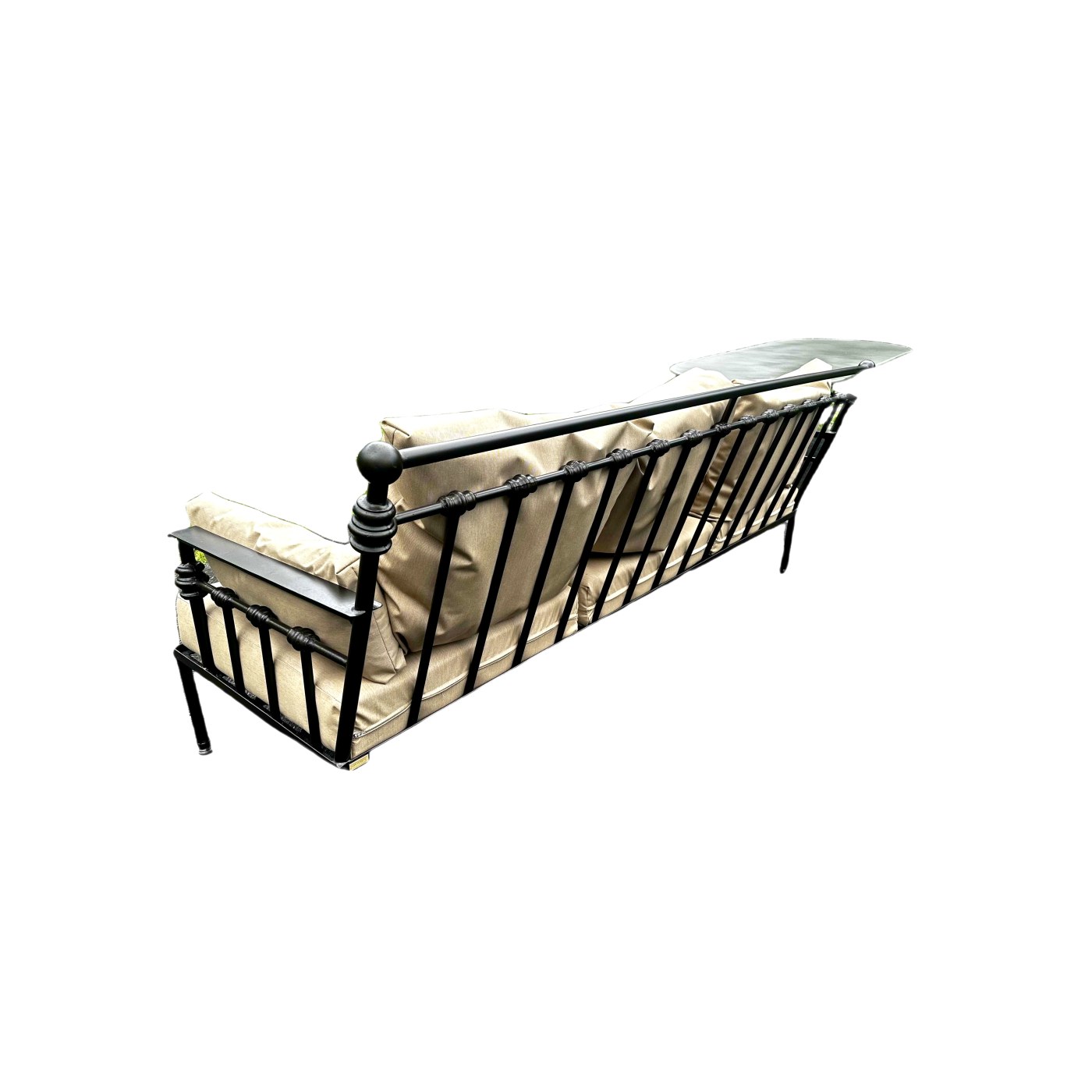
The same phone photo, straightened out into a marketplace-ready square: cleaned up, background removed, subject sized to fill 86% of the frame. Nothing about the sofa was redrawn. The background was removed, not replaced with an imagined room.
# Clean up, cut out, and fit the marketplace format in ONE call
curl -X POST https://retouchengine.com/v1/edit -H "X-API-Key: rte_..." \
  -F "image=@seller_upload.jpg" \
  -F 'ops=[{"op":"autotone"},{"op":"clarity","amount":0.4},{"op":"vibrance","amount":0.5},
          {"op":"cutout","background":"white","edge":0.6,"shrink":1.5,"despill":0.9},
          {"op":"fit","ratio":"1:1","fill":0.86}]' -o listing.jpg

# Want it transparent instead, to composite yourself? Ask for PNG.
  -F 'ops=[{"op":"cutout","background":"transparent"}]' -F "fmt=png" -o item.png
The cutout uses an open-source mask model to find the subject, and then everything after that is ordinary pixel maths: loose blobs are dropped, the half-transparent haze along the edge is pushed to zero, the rim is pulled in by a hair, and the old background colour is subtracted out of the edge pixels so you never get the grey halo that gives a cheap cutout away. It stays byte-for-byte deterministic: the same call on the same photo returns the same file, every time. About 4 seconds.
What it does not do: it will not invent a studio, a shadow that was never there, or a reflection. It removes the background. If a marketplace needs the item on pure white, that is exactly what this is for.
Millions of uploads, one deterministic pipe
Run every seller upload through a fixed chain at ingest. Reliable, directly publishable output with no moderation queue for photo quality, and identical re-renders whenever you reprocess.
Read with AI at ingest
Let the AI inspect each upload and choose conservative settings per photo (“dim indoor shot → lift shadows, denoise”), while the pixels are only ever touched by deterministic code.
-F "prompt=clean honest product photo, keep wear visible" -F "apply=true"